
Social Contact Photo Sync2.98 - Get APK
You'll be able to download in few seconds.
Publisher Description
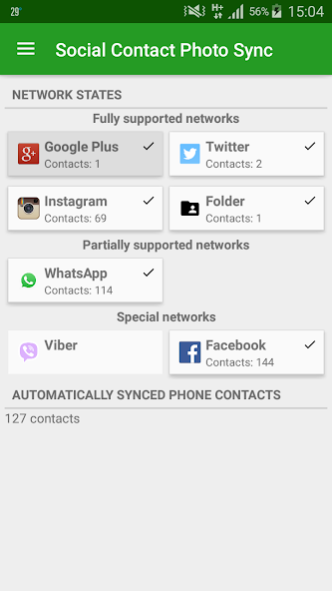
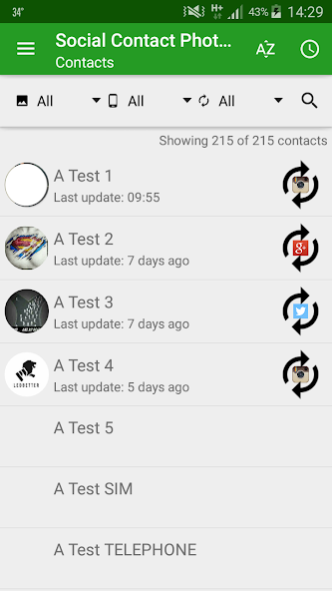
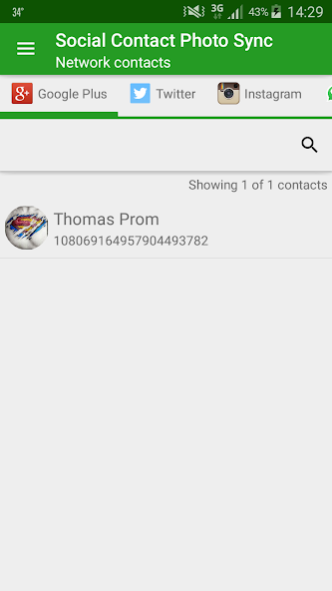
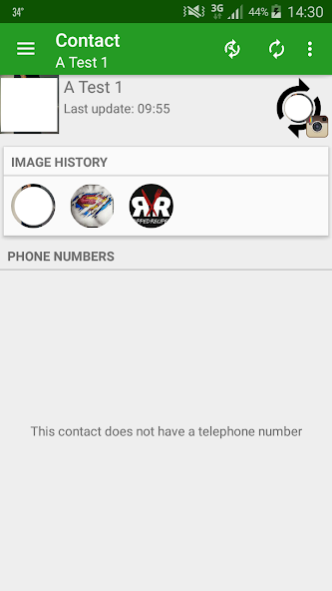
Synchronise your phone contacts with high resolution photos from social networks and partly even from social apps:
*************************
* FULL AUTOMATICALLY
*************************
* GooglePlus (full automatically)
* Twitter (full automatically)
* Instagram (full automatically)
* Ordner-Modus (full automatically auto sync with a picture file in a predefined folder)
* VKontakte (vk.com)
* URL-Modus (full automatically auto sync with a picture file at a predefined website url)
* Xing (full automatically)
*************************
* FULL AUTOMATICALLY (OR MANUAL INTERACTION NECESSARY FOR ADDING FRIENDS)
*************************
* Facebook (full automatically, but ONLY on ROOTED phones and with the OFFICIAL FACEBOOK OR MESSENGER APP installed, you have to MANUALLY add your friends if you do not have root)
*************************
* MANUAL INTERACTION NECESSARY
*************************
* Hike (semi-automatically: contact pictures have to be downloaded in Hike manually, otherwise the app does not know about the contact, the rest is done by the app)
*************************
* SETTING A PICTURE ONLY
*************************
* WhatsApp - only a manual process is supported
--------------------------
FUNCTIONS
--------------------------
The app automatically keeps phone contact pictures synchronised with pictures from social networks. A few settings are possible as well:
* define when and how often an auto sync is started
* define which preconditions are necessray before starting an auto sync (like for example, that the auto sync should only be started if WIFI is available)
* enable an image history and setup how many images should be remembered
* define the folder for the image history and for the folder mode
--------------------------
TUTORIALS
--------------------------
General Tutorial: http://www.michaelflisar.com/social-contact-photo-sync/
Facebook ADDITONAL Tutorial: http://www.michaelflisar.com/social-contact-photo-sync-facebook-tutorial/
--------------------------
VARIOUS
--------------------------
Something missing? Simple give me some feedback through the app (with answer mail address). I can implement other networks as well, if desired.
----------------------------------------
Rights:
----------------------------------------
1) contacts/profile
* READ_PROFILE… for showing the own profile
* READ_CONTACTS/WRITE_CONTACTS… for reading and writing contacts (updating the contact pictures)
* GET_ACCOUNTS... for logging in with already existing accounts like google play for example
2) storage
* READ_EXTERNAL_STORAGE… for reading WhatsApp/Viber pictures
* WRITE_EXTERNAL_STORAGE... for the pciture history
3) network
* INTERNET/ACCESS_NETWORK_STATE… for reading pictures from social networks
4) others
RECEIVE_BOOT_COMPLETED/WAKE_LOCK… for auto updating pictures (so no service is required, this saves battery)
5) google
* BILLING... for buying the full version
6) Debug
* READ_LOGS... for reading the log file
About Social Contact Photo Sync
The company that develops Social Contact Photo Sync is Michael Flisar. The latest version released by its developer is 2.98.
To install Social Contact Photo Sync on your Android device, just click the green Continue To App button above to start the installation process. The app is listed on our website since 2017-01-30 and was downloaded 0 times. We have already checked if the download link is safe, however for your own protection we recommend that you scan the downloaded app with your antivirus. Your antivirus may detect the Social Contact Photo Sync as malware as malware if the download link to com.michaelflisar.socialcontactphotosync is broken.
How to install Social Contact Photo Sync on your Android device:
- Click on the Continue To App button on our website. This will redirect you to Google Play.
- Once the Social Contact Photo Sync is shown in the Google Play listing of your Android device, you can start its download and installation. Tap on the Install button located below the search bar and to the right of the app icon.
- A pop-up window with the permissions required by Social Contact Photo Sync will be shown. Click on Accept to continue the process.
- Social Contact Photo Sync will be downloaded onto your device, displaying a progress. Once the download completes, the installation will start and you'll get a notification after the installation is finished.
Program Details
System requirements
Download information
Pricing
Version History
version 2.98
posted on 2017-01-30
v2.98
* bugfix
v2.97
* Update to new libraries
* Google Plus API updated, should work again now (ATTENTION: only your friends list is displayed now, no special circles anymore! This is all that google plus supports now!)
* VK API url updated, should work again (api.vkontakte.ru to api.vk.com)
* small improvements
v2.96
* Update to new libraries and android 7
* Bugfix: possible crash in the batch auto sync dialog
* Bugfix: starting app may have crashed on some devices at first install
...
version 2.96
posted on 2016-08-12
v2.96,* Update to new libraries and android 7,* Bugfix: possible crash in the batch auto sync dialog,* Bugfix: starting app may have crashed on some devices at first install,v2.95,* Bugfix pro version,* Root: added support for new ARM64 v8a architecture,* small improvements,v2.94,* Fixed a few typos,v2.93,* Bugfix for WhatsApp root method,...
Disclaimer
External Download
We do not host Social Contact Photo Sync on our servers. We did not scan it for viruses, adware, spyware or other type of malware. This app is hosted by Galad and passed their terms and conditions to be listed there. We recommend caution when installing it.
The APK Download link for Social Contact Photo Sync is provided to you by apps112.com without any warranties, representations or guarantees of any kind, so access it at your own risk.
If you have questions regarding this particular app contact the publisher directly. For questions about the functionalities of apps112.com contact us.
